
Introduction
This article is a summary of all the news and previews about Modern Work presented by Microsoft at the Ignite 2024 event.

Microsoft Teams
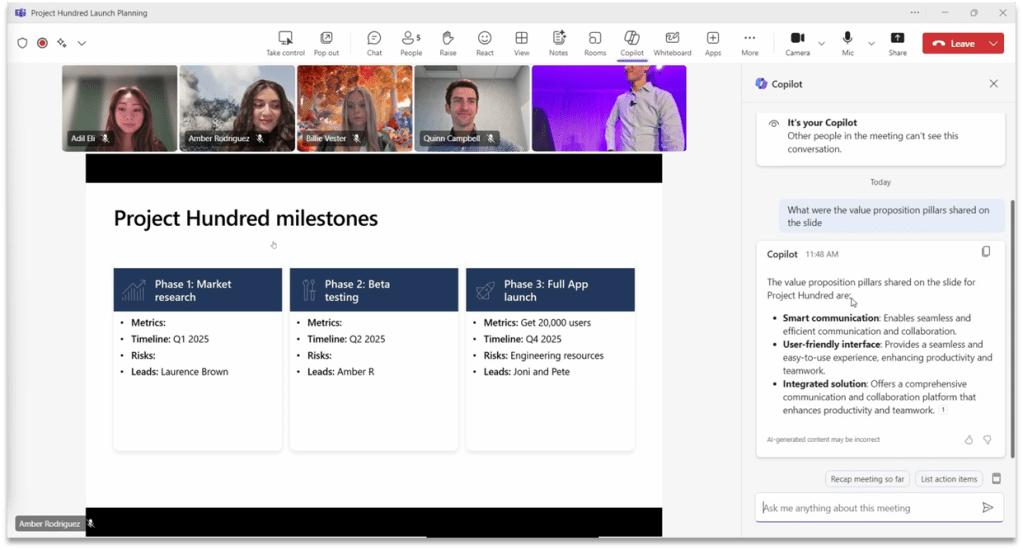
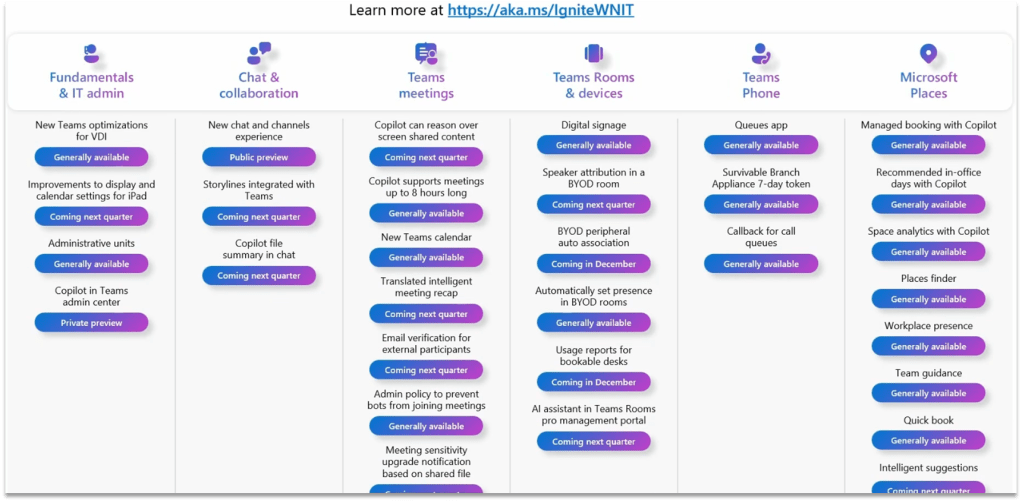
Analyse Screen-Shared Content (Public Preview Q1 2025)
Copilot’s ability to reason over any content shared on screen will help ensure that no meeting details are overlooked.
Users will be able to ask Copilot to summarize screenshared content, (i.e., “Which products had the highest sales?”), consolidate insights across both the conversation and presentation (i.e., “What was the feedback per slide?”) and draft new content based on the entire meeting (i.e., “Rewrite the spreadsheet as a table with only the rows that are On Track”).
Interpreter Agent (Public Preview Q1 2025)
The Interpreter agent in Teams provides real-time speech-to-speech interpretation during meetings, and you can opt to have it simulate your speaking voice for a more personal and engaging experience.

Project Manager Agent (Public Preview)
With this new feature, users can create Project Manager plans in Planner in Microsoft Teams, with features that are not available in traditional plans:
•Assign tasks to Project Manager.
•Complete tasks and generate outputs for teams to collaborate on.
•A Whiteboard tab will be available in Planner so users can create whiteboards directly in the plan, and users can convert sticky notes into tasks within the plans.

Other OOB Agents
Facilitator Agent (Public Preview)
Takes real-time notes during Teams meetings, allowing everyone to co-author and collaborate seamlessly.
Shares an UpToDate summary of important information in Teams chats as the conversation happens, including key decisions, actions items, and open questions to resolve.
Employee Self-Service Agent (expected Q2 2025)
Expedites answers to common workplace-related questions and takes action on key HR and IT tasks.
Customizable in Copilot Studio with OOB tools/resources to connect to knowledge bases & HR/IT systems.
Storyline (Private Preview)
Storyline in Microsoft Teams will simplify the ways that leaders and employees share and connect with colleagues across the company, increasing visibility and engagement. Employee communications are often scattered across multiple places, leading to frustration, delays and overload.

(Unconfirmed) Integration of communities is coming in 2025, enabling you to connect, communicate and collaborate from 1:1 to group chats to channels to org-wide communities, all in one place.
Microsoft Places
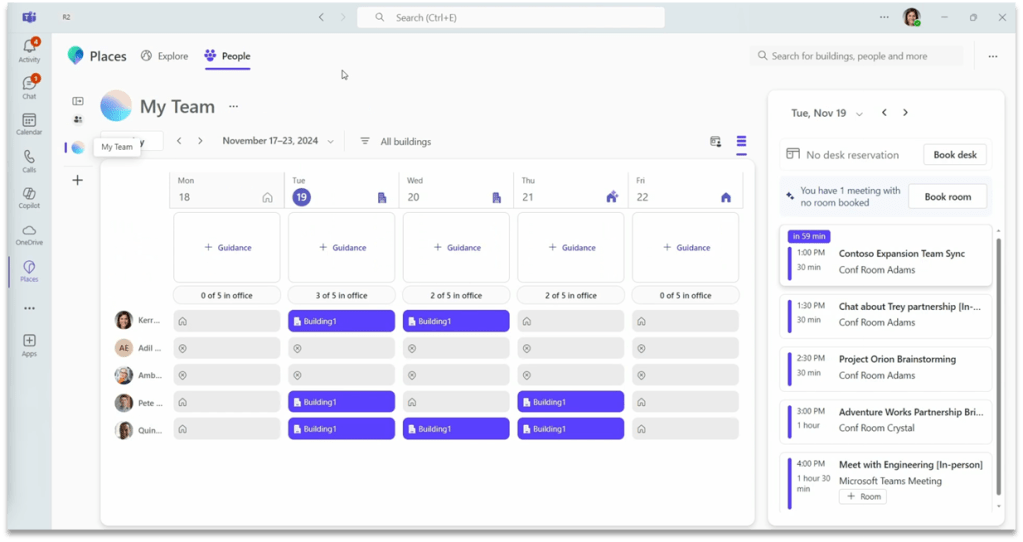
Places is now fully integrated with Teams and Outlook calendar.
•Recommended in-office day with Copilot.
•Managed booking with Copilot.
•Workplace presence.
•Places finder.
•Automatically reserve a desk on plug-in.
•Space analytics.
Other Microsoft Teams Announcements
•iPad Enhancements: multiple Teams windows.
•Threaded conversations.
•Automatic upgrade of meeting sensitivity based on single shared file sensitivity.
•New opt-in Calendar experience.
•New optimizations for VDI.
•Teams phone: the Queues app creates workspaces for automatically manage calls in Teams.
•Security enhancements: Preventing Bots from automatically join a meeting (by using captcha). Email verification for external users.
•Other Copilot enhancements: Copilot can now reason over up to 8 hours of meeting content.
SharePoint Online
SharePoint Agents
Every SharePoint site includes an agent scoped for the site’s content, ready to assist you instantly. These ready-made agents are an easy starting point to get answers without combing through the site or digging around with search—they can be used immediately without any customization.

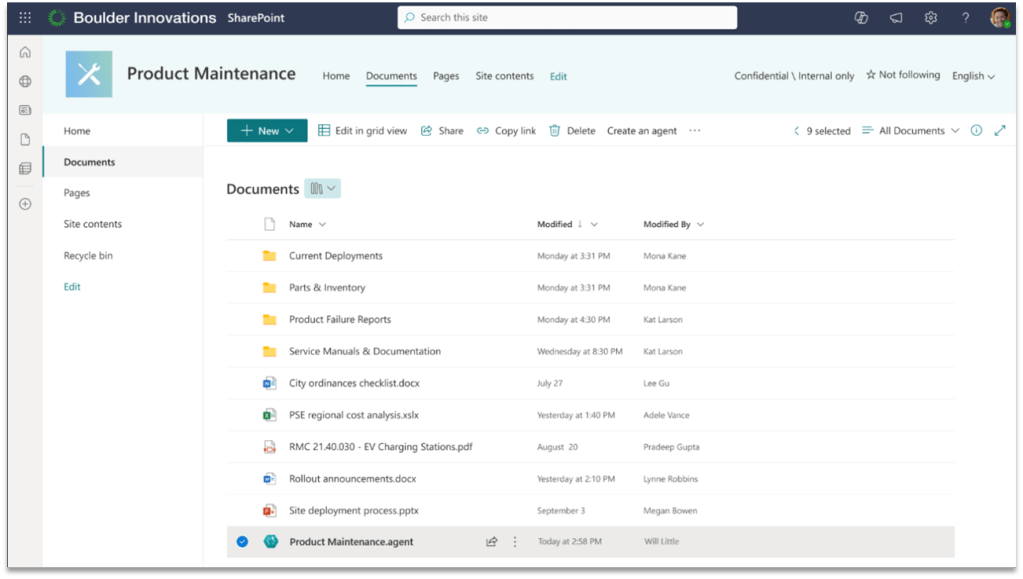
For specific projects or tasks, any SharePoint user can create a customized agent based on the relevant files, folders, or sites, with just one click.

Find all the agents that you work with, including those that others shared with you, from the Copilot icon in the top ribbon.
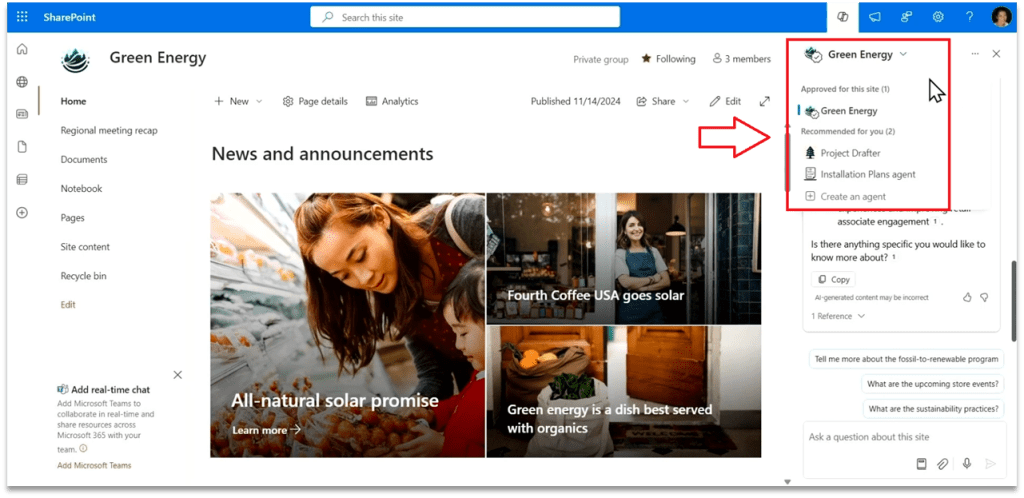
Agents can easily be shared via email or within Teams chats. Not only are coworkers able to use the agent that you shared, but @mentioning the agent in a group chat setting gives the team a subject matter expert ready to assist and facilitate collaboration.

Agents in SharePoint adhere to existing SharePoint user permissions, they don’t broadly share the files you selected whenever you share the agent with others in your organization.
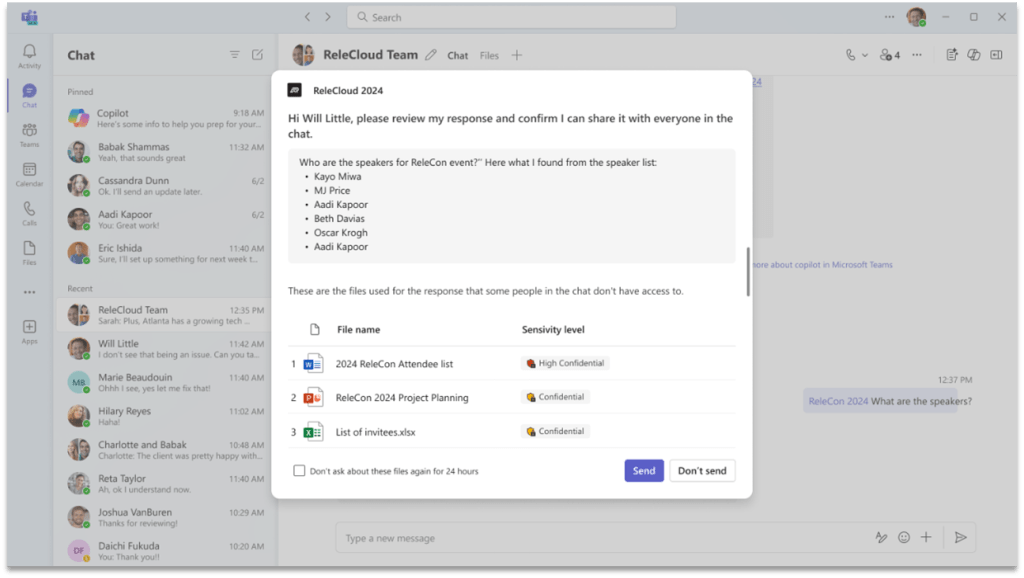
Agents created using SharePoint data are file-based. They are stored within the same site where they were created. Since they are files, you can manage them just like you manage other files. You can copy, move, delete, or archive them.
Copilot
Copilot in Power Point (Available January 2025)
With a simple prompt and a file, Narrative Builder transforms your work into a compelling narrative. This gives you the flexibility to steer the story up front.
You will be able to include one Word documents and encrypted Word document, and Copilot will pull in information from the text in your document.

Copilot Actions (Private Preview)
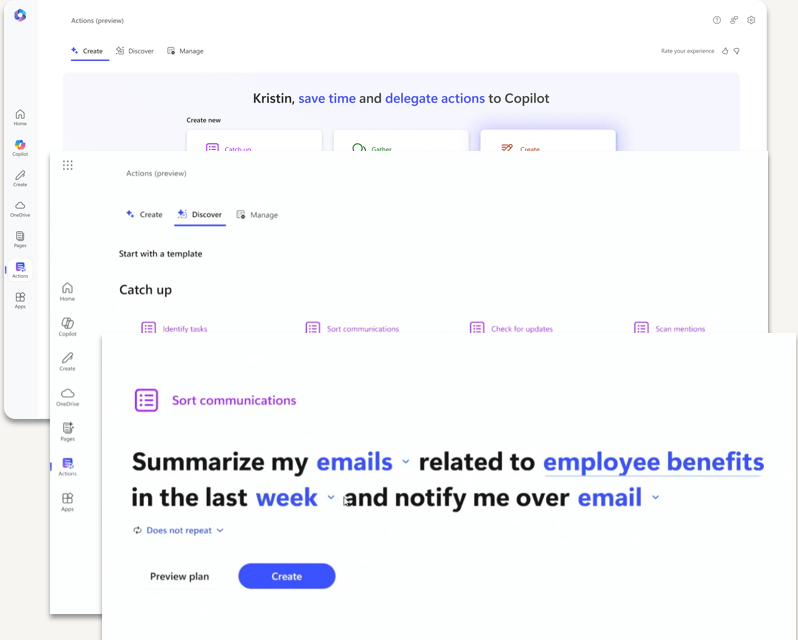
With Copilot Actions, anyone can easily delegate tasks to Copilot.
These customizable prompt templates can be automated, used on demand or triggered by specific events to gather information and present it in specified formats, such as emails or Word documents.
Copilot Studio
Improved Extension Builder
As a user, you can create extensions conversationally and those extensions become immediately live to use or to be shared with others.

Improvements in answers quality
•Upgraded to GPT-4o and 4o-mini.
•Ability to reason over images and tables in files.
•Improved multi-language support.
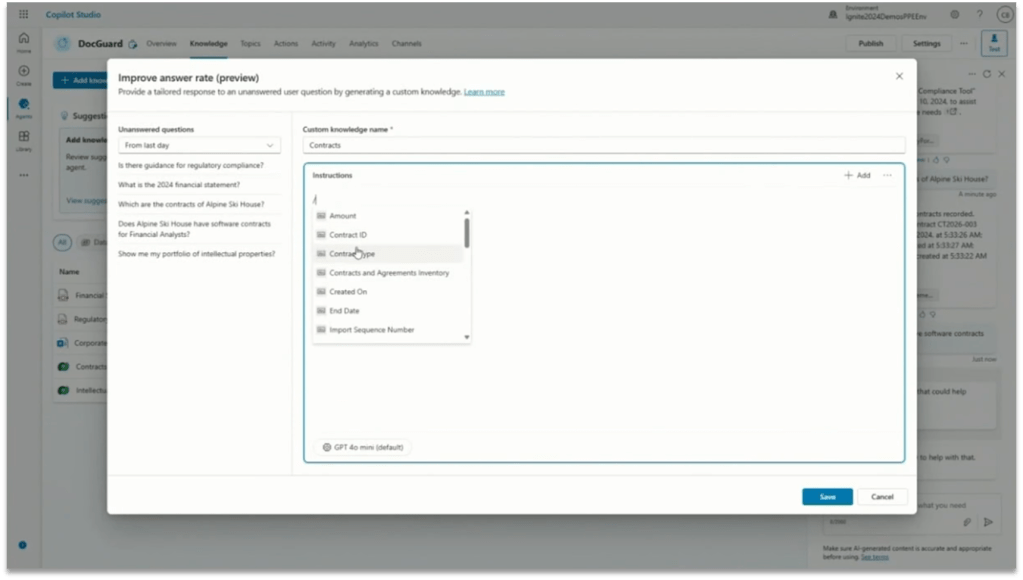
•New knowledge curation experience: Customers can now directly control how their agents use their knowledge.
Autonomous Agents
Now they can be triggered by events, not just conversations.

Support for voice interactions
Copilot Studio now supports interactive voice response (IVR) capabilities, including speech and dual-tone multi-frequency (DTMF) input, context variables, call transfer, and speech and DTMF customization.

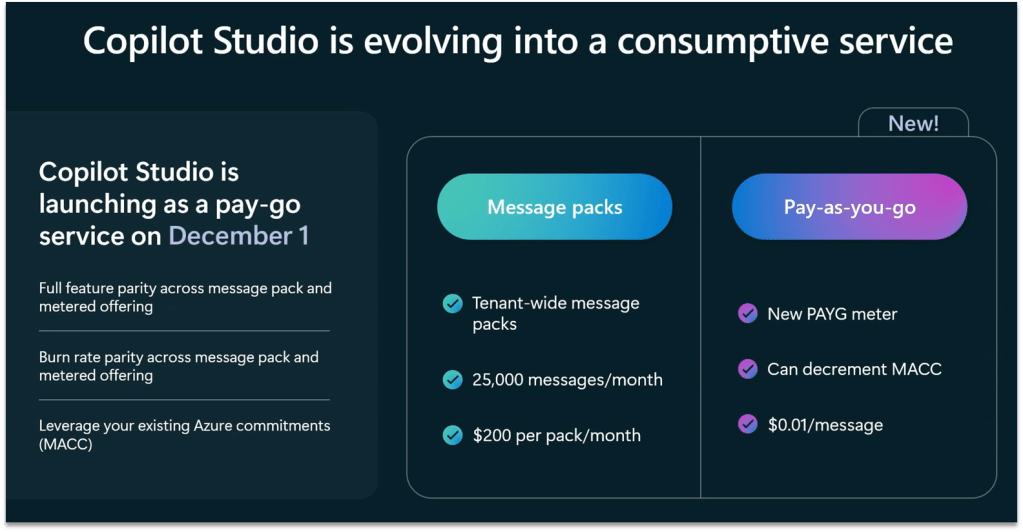
New PAYG service on December the 1st
Data Governance
Permission State Report
Identify overshared sites with Permission State Report.
Scalable actions:
-Site Access Review.
-Restricted Access Control.
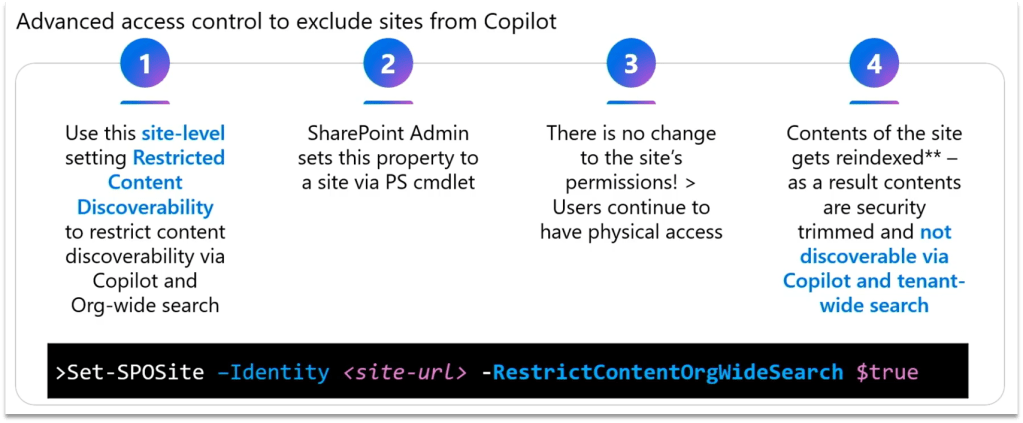
-Restrict Content Discovery.

Restricted Access Control
Available as part of SharePoint Advanced Management (SAM), Restricted Access Control policies allow you to restrict access to specific sites and content exclusively to designated user groups: this ensures that only authorized users can access sensitive information, even if individual files or folders have been overshared.

Restricted Content Discovery
Restricted Content Discovery allows you to configure policies to restrict search and Copilot from reasoning over select data sites, leaving the site access unchanged but preventing the site’s content from being surfaced by Copilot or organization-wide search.
Oversharing Assessment (Public Preview)
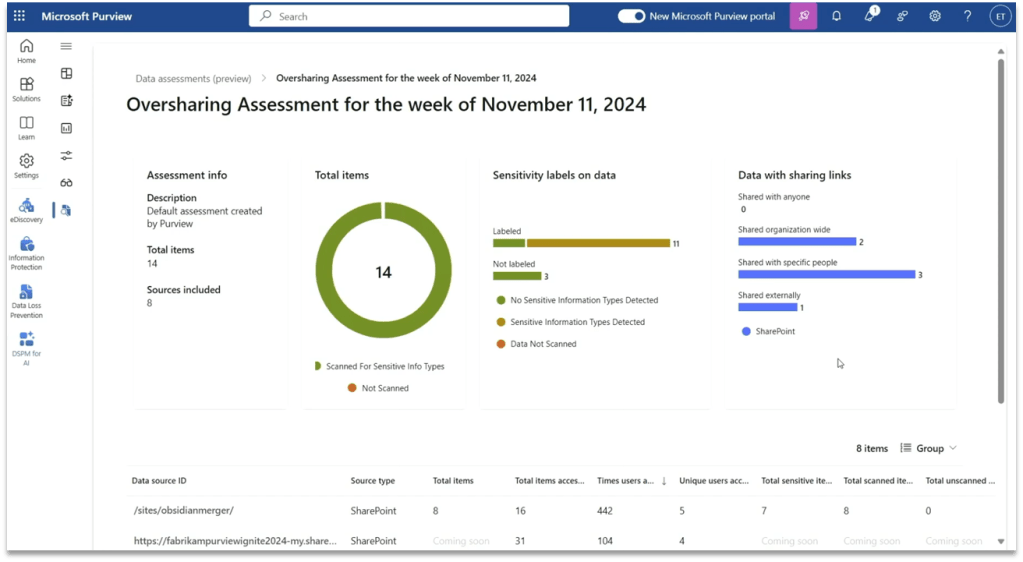
Available as part of Purview, this oversharing assessment provides recommendations on how to mitigate oversharing risks with a few clicks, such as applying a sensitivity label to overshared content, using SharePoint Access Management to add the site to restricted content discovery or start a new site access review. Admins can run the assessment before a Copilot deployment to identify and mitigate risks such as unlabeled files accessed by users. Post-deployment, the assessment will identify risks such as sensitive data referenced in Copilot responses.
DLP for Microsoft 365 Copilot
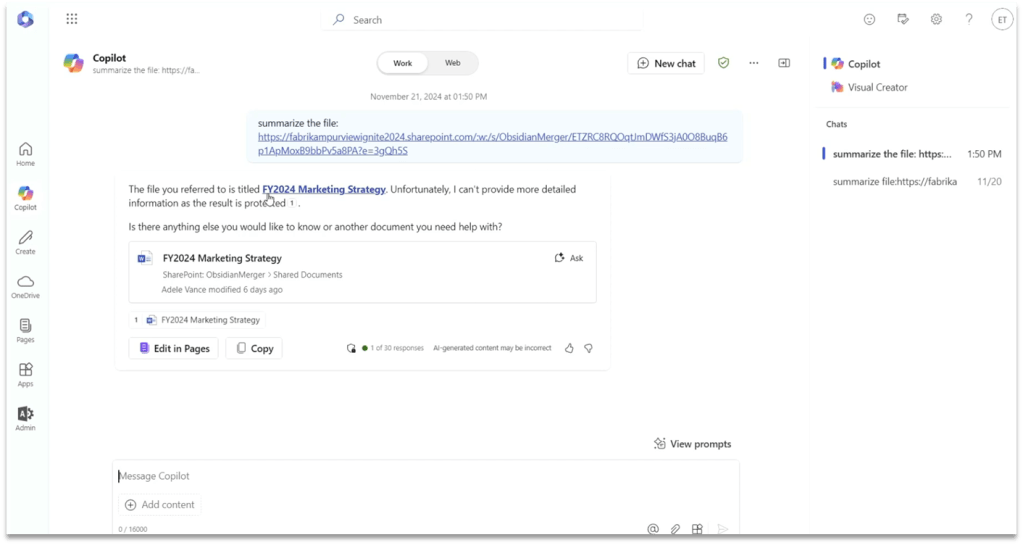
This new DLP aims at reducing the risk of AI-related oversharing at scale. This new capability prevents Microsoft 365 Business Chat from creating summaries or responses using a document’s contents. It works with Office files and PDFs stored in SharePoint or OneDrive and uses the file’s sensitivity label to prevent these actions. This helps ensure that potentially sensitive content within labeled documents is not processed by Copilot and responses are not available to copy and paste into other applications.
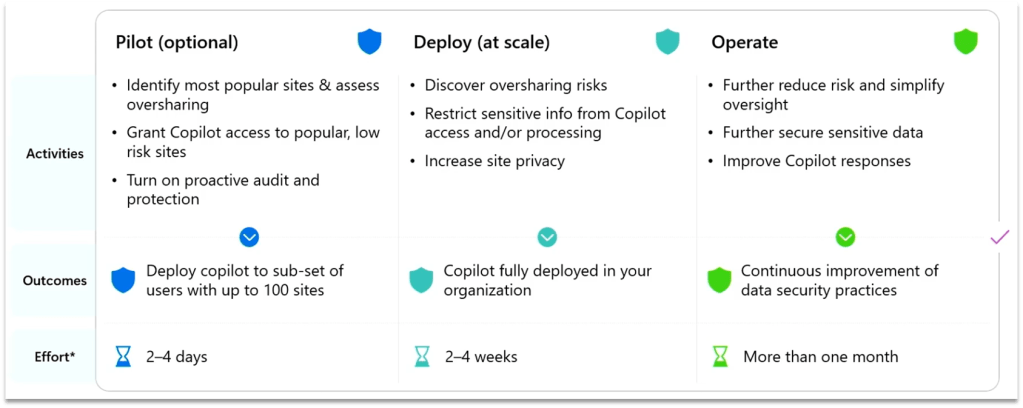
Oversharing Blueprint
Available at https://aka.ms/Copilot/OversharingBlueprintLearn, this new blueprint by Microsoft provides a recommended path to address internal oversharing concerns during a Microsoft 365 Copilot deployment. The blueprint breaks the deployment journey into three phases: Pilot, Deployment, and Operation after initial deployment. The blueprint also includes the new SAM and Purview capabilities previously covered in this blog post.
Adoption & Measuring
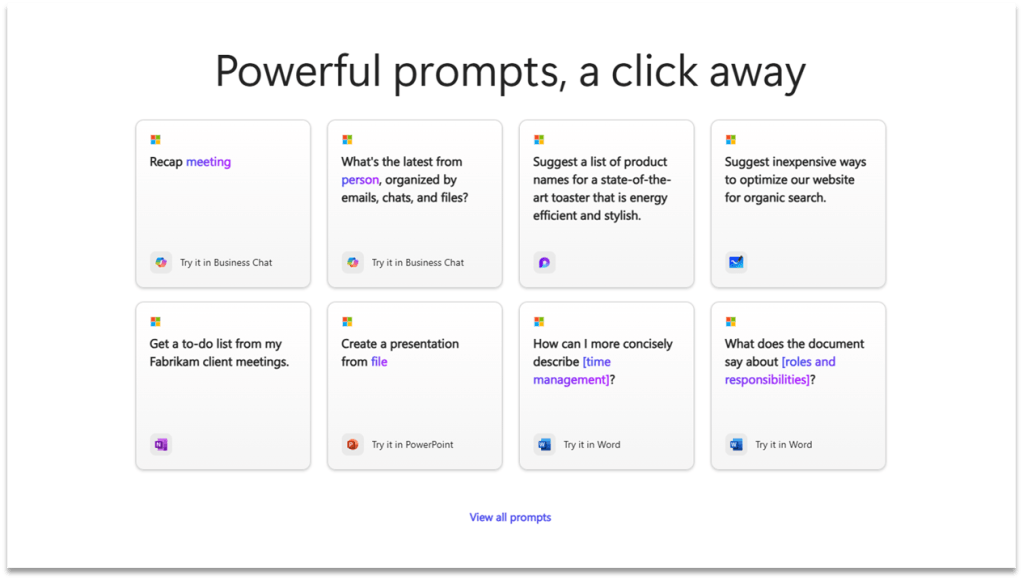
Copilot Prompt Gallery
Provided as both a website (Copilot Prompt Gallery) and a feature in Copilot, Prompt Gallery is a comprehensive repository that provides users with access to a catalog of prompts. It includes prompts created by Microsoft that highlight key scenarios and capabilities of Copilot, designed to help users understand and use Copilot more effectively.
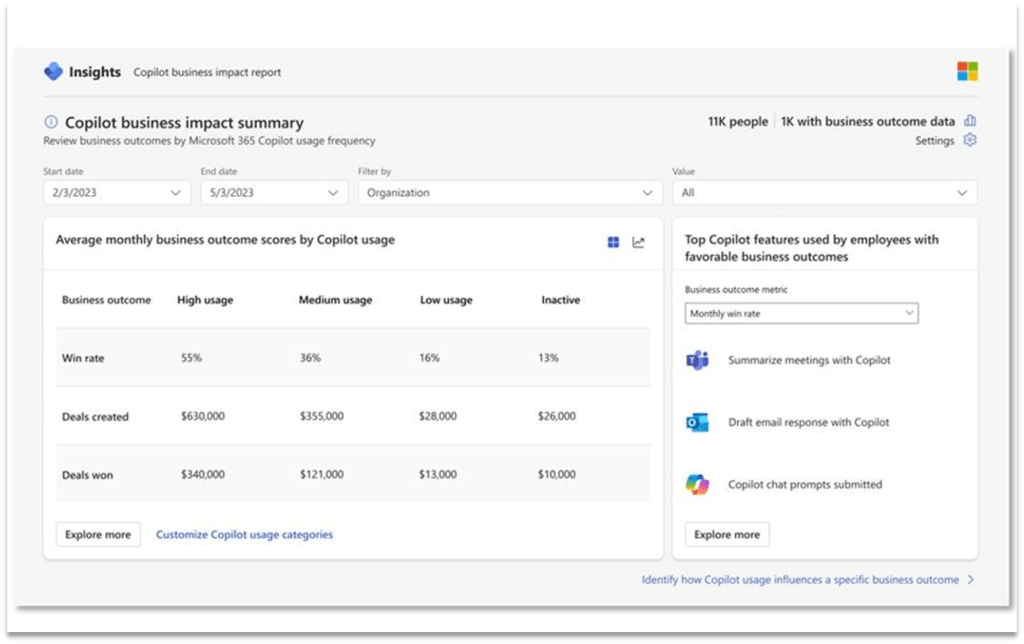
Copilot Analytics (GA early 2025)
•A component of the new Copilot Control System, designed for IT to confidently adopt and accelerate the business value of Copilot and agents.
•Can be accessed via Microsoft 365 admin center, the Copilot Dashboard and Viva Insights.
•Contains 2 components: Copilot Business impact Report, and Viva Insights dashboards.
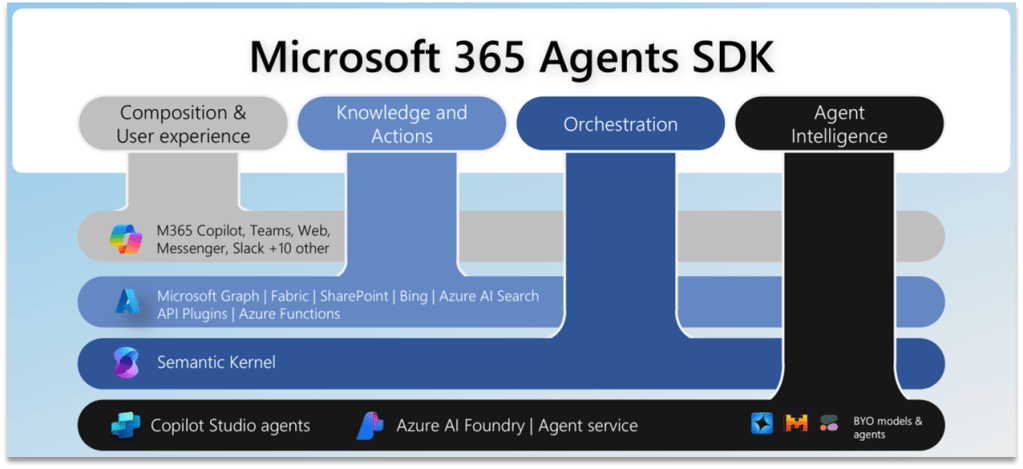
Microsoft 365 Agents SDK
This new SDK provides interoperability with Copilot Studio in two ways:
•Developers can add functionality and extend an existing agent built using Copilot Studio using skills, allowing a maker to delegate work to other agent functionality.
•Secondly, a developer can connect to a Copilot Studio agent from code, providing the developers with all the functionality within the Copilot Studio ecosystem, including over 1000 connectors.
 Donald Mucci